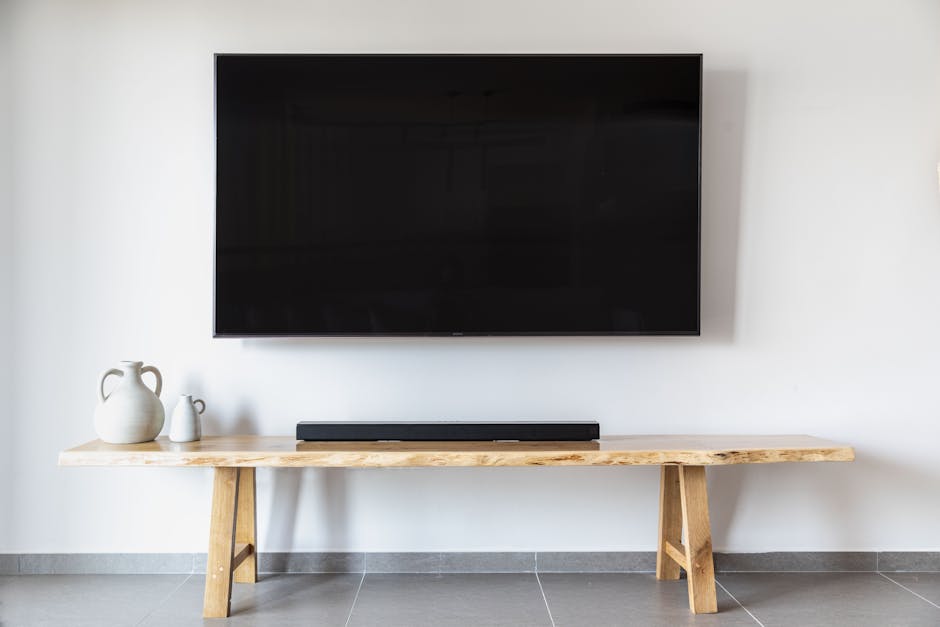
Mounting a TV on drywall is totally doable, but here's the thing: you can't just screw a mount into drywall and call it done. Your TV is heavy, and drywall alone won't hold it safely long-term. The real secret is anchoring your mount directly into the wall studs behind the drywall. Do that, and you've got a solid setup that'll last for years.
Why Studs Matter for TV Mounting
Drywall is soft. It's made of gypsum and paper, designed to create smooth walls—not to bear heavy loads. A standard TV weighs anywhere from 30 to 100+ pounds depending on the size. If you try to support that weight on drywall anchors alone, you're relying on fasteners that grip into soft material. Over time, the weight and vibration stress those anchor points, and they start to fail.
Wall studs, on the other hand, are solid wood framing members running vertically behind your drywall. They're designed to carry structural loads. When you drill into a stud and secure your TV mount there, you're distributing the weight into the building's actual frame. That's safe, stable, and permanent.
Related: How to Patch a Hole in Drywall: 5 Methods Ranked 2026
Tools and Materials You'll Need
Before you start, gather the basics:
- A TV mount rated for your TV's weight and size
- A stud finder (electronic or magnetic)
- A drill with bits (for pilot holes)
- A level
- Mounting hardware that came with your bracket
- A pencil or marker
- Maybe a friend to help hold the TV while you install
The mount itself is critical. Check your TV's weight and VESA pattern (the hole spacing on the back), then buy a bracket rated for at least that weight. Mismatched mounts are one of the biggest reasons TV installations fail.
Step 1: Choose Your Mounting Location
Pick a spot where you'll be comfortable watching. Most people mount TVs at eye level when seated, somewhere around 4 to 6 feet from the floor. Make sure there's no furniture blocking the view, and think about cable routing—you'll want easy access to power and HDMI.
Avoid spots directly above a heat source like a radiator or heating vent. Heat can damage electronics over time.
Step 2: Find and Mark the Wall Studs
This is non-negotiable. Grab a stud finder and scan the wall where you want to mount. Most studs are 16 inches apart, so once you find one, the next is likely 16 inches over. Mark the stud locations with a pencil.
Your goal is to anchor the mount into at least two studs if possible. If the studs don't line up perfectly with your mount's screw holes, many adjustable mounts let you slide the bracket left or right to hit the studs. That's another reason to choose a quality mount.
Step 3: Measure and Mark the Bracket Position
Hold your mount bracket against the wall at the height you've chosen. Use a level to make sure it's straight. Mark the screw holes with a pencil. Double-check your marks line up with the studs you found.
This is where patience pays off. Take your time here—a crooked TV looks worse than a TV that took an extra 10 minutes to position.
Step 4: Drill Pilot Holes
Set your drill to a bit size slightly smaller than the screws that come with your mount. Drill straight into each marked spot. Pilot holes make screwing in easier and reduce the risk of splitting the stud.
Step 5: Secure the Mount to the Wall
Insert the lag bolts or wood screws (whatever came with your mount) into the pilot holes and tighten them firmly. Don't overtighten—you want snug, not stripped. Use your level one more time to confirm the bracket is dead straight.
Step 6: Attach the TV and Test
Most TVs have mounting arms or a plate that you bolt to the back of the set first, then slide or clip onto the wall bracket. Follow your mount's instructions exactly here. The TV should feel totally solid when you gently try to move it. No wobble, no give.
Cable Management and Final Setup

Once the TV is mounted, run your power cable and HDMI cables down the wall. Many wall mounts have space behind them for cables to pass through. Cable covers or raceways hide the mess and give a cleaner look.
If you're uncomfortable with drilling, finding studs, or handling a heavy TV, that's what professional installers do every day. Top Tier Handyman LV handles TV mounting across Las Vegas, and we'll make sure it's level, secure, and looks great. Just call for a free quote.
Common Mistakes to Avoid
Don't rely on drywall anchors as your primary support. They'll fail eventually. Drywall anchors are fine for light shelves or picture frames, not televisions.
Don't skip the stud finder. Guessing where studs are almost always ends badly.
Don't ignore the TV's weight rating on the mount. A 65-inch TV won't be happy on a bracket rated for 40 pounds.
Don't mount above a couch or seating area without securing the TV extremely well. A falling TV is dangerous.
When to Call a Professional
If your wall is plaster instead of drywall, or if you have brick or concrete, the process changes. If your studs don't line up with where you want the TV, it gets trickier. If you're not comfortable using a drill or handling a 70+ pound TV, professional installation makes sense.
Even if you're handy, sometimes it's worth outsourcing. A crooked TV bothers you every time you walk into the room. An improperly secured mount keeps you up at night. Top Tier Handyman LV's mounting service takes all that stress off your plate. We know Las Vegas homes inside and out, and we've mounted hundreds of TVs. Call and we'll handle it.
FAQs
Can I mount a TV on drywall without studs?
Technically, you can use heavy-duty drywall anchors, but we don't recommend it for anything bigger than a 40-inch TV, and even then it's risky. The anchors grip soft material and can pull loose over months or years, especially with vibration. Studs are always safer. If studs aren't available where you want the TV, consider running a piece of plywood between the studs to create a wider mounting surface, or choose a different wall.
What type of mount is best for drywall mounting?
Look for a full-motion or tilt mount rated for your TV's weight. Full-motion mounts can slide side to side, which helps you hit studs that might not be perfectly aligned with your ideal bracket position. Make sure the mount comes with lag bolts or wood screws rated for stud installation. Budget mounts with flimsy hardware are a false economy.
How high should I mount my TV?
The center of the TV should be at or slightly below eye level when you're seated and watching. For most living rooms, that's between 4 and 6 feet from the floor. Measure from where you'll typically sit. If you're unsure, hold the TV up (or have someone hold a cardboard cutout) and see what feels natural. If you're mounting in a bedroom, you might go a bit higher.
Do I need special tools to mount a TV?
A stud finder, drill, level, and the hardware that comes with your mount will get the job done. A drill bit set, pencil, and measuring tape round out the basics. You don't need professional-grade equipment, but a decent stud finder makes finding studs much easier and more reliable than tapping on walls or using old tricks. A basic electronic stud finder from any hardware store works fine and costs $20-$30.